How to Run Local AI Models (LLMs) on Your Laptop for Free
Learn how to run local AI models on Mac, Windows, and Linux using Ollama or LM Studio. Compare 2026 models, RAM requirements, quantization, and setup steps.
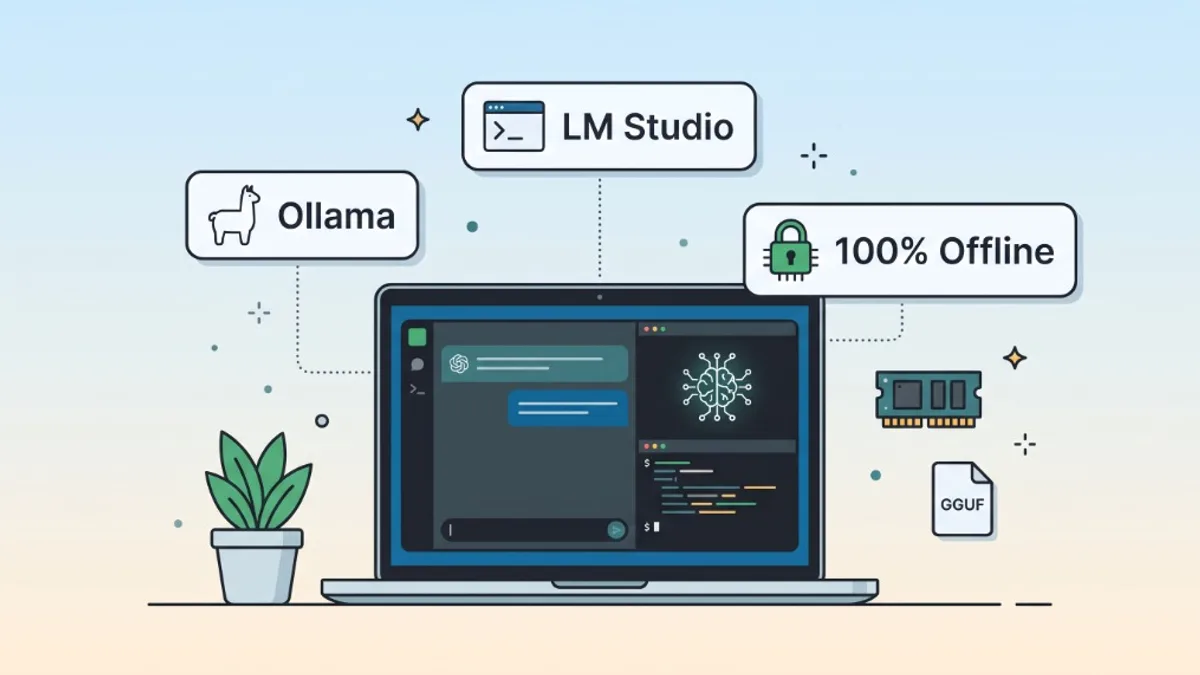
You can run local AI models on your laptop with zero per-token API fees by installing Ollama (CLI and local API) or LM Studio (desktop GUI), then pulling a quantized open-weight model such as Qwen 3.5 or Gemma 4 sized for your RAM or VRAM. Setup takes only a few minutes, aside from the initial model weight download (3–14+ GB depending on the model).
What can your actual laptop run, how well will it run, and how do you get it working? Size your model to your real memory pool—not just disk space—and test a verified tag locally.
$0 / tok
No Per-Token API Fees
Hardware, power & storage still apply
~4.8–4.9
Q4_K_M Bits/Weight
llama.cpp Llama 3.1 8B ~4.89 bpw (~4.58 GiB)
localhost
OpenAI-Compatible API
:11434 (Ollama), :1234 (LM Studio), :1337 (Jan)
Why Run Local AI Models on a Laptop?
Running an LLM locally moves inference from cloud data centers onto your own hardware. Teams and students choose local AI for three practical reasons:
- No per-token API charges: Experiment freely, summarize long notes, or run coding helpers without watching token meters (though your own hardware, electricity, storage, and initial weight downloads still have real costs).
- On-device data handling: Local inference can keep prompts and files on your laptop, provided the application is not configured to call remote providers or external web tools.
- Offline availability: Once model weights are downloaded, inference works on flights, trains, or air-gapped environments.
What Is an Open-Weight Model? (vs. Closed Cloud & Open-Source AI)
A common question when getting started with local AI is: "Why can't I download ChatGPT, Claude, or Gemini directly onto my laptop?"
The answer comes down to how AI labs release their models. You cannot run proprietary cloud models locally because their trained parameter files (weights) are kept private on vendor servers. Running an LLM on your own laptop requires an open-weight (or fully open-source) model whose weights are publicly downloadable:
- Closed / Proprietary Hosted Models: The weights behind hosted products such as ChatGPT, Claude, and Gemini are not publicly downloadable for local inference. However, some of these companies separately release open-weight models—for example, OpenAI's
gpt-ossfamily. These are separate model releases, not downloadable versions of the hosted products. - Open-Weight Models (Qwen 3.5, Gemma 4, gpt-oss, Llama): The creator publishes the trained model weights (
safetensorsorGGUF) so anyone can download, quantize, fine-tune, and run them locally with Ollama or LM Studio. However, the original training datasets and full training scripts are often not released, and licenses vary (from permissiveApache 2.0to custom community terms). - More Open & Reproducible AI (e.g., AllenAI OLMo, Pythia): May include model weights, training code, dataset information, and evaluation materials. However, the degree of openness and licensing varies between projects and individual releases—always check the actual model card and associated data licenses.
| Dimension | Closed Hosted Models | Open-Weight Models (Local) | More Open & Reproducible AI |
|---|---|---|---|
| Weights Downloadable? | No (hosted on vendor servers) | Yes (run on your own hardware) | Yes (run on your own hardware) |
| Runs Offline on Laptop? | No (requires internet + account) | Yes (after initial download) | Yes (after initial download) |
| Training Data & Code | Proprietary / undisclosed | Usually partial or undisclosed | May include training code, data info & evals (check licenses) |
| Typical Cost Model | Per-token API or monthly plan | Hardware + power only ($0 API) | Hardware + power only ($0 API) |
| Examples | ChatGPT, Claude, Gemini (hosted) | Qwen 3.5, Gemma 4, gpt-oss, Llama | AllenAI OLMo, Pythia |
| Best Use Case | Frontier reasoning & huge context | Private, offline, zero-API-cost apps | Academic research & reproducibility |
How Local Inference Works: RAM, VRAM, Unified Memory & KV Cache
A common mistake is grouping all laptop memory into one bucket. Four distinct memory pools govern how fast—or whether—a local model runs:
- System RAM: Used by your operating system, open applications, and CPU-side model execution.
- Dedicated GPU VRAM: High-bandwidth memory on a discrete GPU (such as an NVIDIA RTX laptop card) that holds offloaded model layers and runtime buffers.
- Apple Silicon Unified Memory: Shared directly by the CPU, Metal GPU, and macOS—eliminating PCIe copy overhead between CPU and GPU.
- Disk Swap: Virtual memory on your SSD used when physical memory runs out; it prevents immediate crashes on some systems, but is far too slow to substitute for adequate RAM.
Important: An 8 GB discrete GPU paired with 16 GB of system RAM does not give you 24 GB of fast GPU memory. They are separate pools, and how your runtime splits layers across them determines speed.
Your total runtime footprint equals Model Weights + KV Cache (active conversation/context memory) + Variable OS and Runtime Overhead (reserve several additional GB where possible for the operating system, runtime buffers, GPU drivers, and background applications). Even if a model file fits on your SSD, expanding the context window grows the KV cache quickly and can push your machine into heavy memory pressure.
Hardware Requirements: Model Size & Memory Planning Ranges
Treat the table below as practical planning ranges, not guaranteed limits. As LM Studio's system requirements note, 16 GB+ of RAM is recommended on Apple Silicon Macs, while 8 GB machines can still run smaller models with modest context sizes.
| Available Memory | Practical Starting Point | What to Expect |
|---|---|---|
| 8 GB system RAM | 2B–3B Q4 | Lightweight chat and short summaries; even a 2B model can get tight when the OS and other apps use memory |
| 16 GB system / unified memory | 4B–8B Q4 | General-purpose local AI; 9B models may be tight with other apps open |
| 24–32 GB system / unified memory | 7B–14B Q4 | More headroom for capable models and moderate-to-long context |
| 16 GB dedicated GPU VRAM | 7B–14B Q4, depending on context and runtime | Fast full-VRAM execution for 7B–14B; larger models exceed 16 GB once KV cache and overhead are included |
| 32 GB+ unified memory | 14B–27B, depending on quantization | Strong local coding and reasoning, though OS and context headroom still matter |
| 24 GB+ dedicated GPU VRAM | Larger 14B–27B models | Subject to actual model download size, quantization, and context length |
Dedicated GPU VRAM and system RAM can work together through CPU offloading, but this does not provide the same performance as keeping the complete model in GPU VRAM.
Running Local LLMs on Apple Silicon Macs (M-Series Example)
Apple Silicon Macs are especially popular for local LLM inference because unified memory lets the Metal GPU read model weights directly without copying them over a PCIe bus. Using Apple's MLX framework (supported in LM Studio and Jan) or llama.cpp via Metal, MacBooks can run larger models than typical 8 GB discrete-GPU laptops.
Still, an older M1 Mac and a newer M5/M6 Mac will not deliver identical generation speeds on the same model—generation is memory-bandwidth bound, and newer generations and Pro/Max chips offer higher memory bandwidth (GB/s) and faster neural/GPU cores. Apple advertises up to 25% faster AI workloads for the M6 compared with M5; this is a manufacturer-reported figure, not a direct local-LLM tokens-per-second benchmark, as actual inference speed depends on memory bandwidth, model, runtime, and configuration.
Practical Example: MacBook Pro (M1 Pro, 16 GB Unified Memory)
If you are starting on a 16 GB M1 Pro MacBook Pro (practical starting suggestions, not measured benchmarks):
- Start with a
4B Q4model (such asqwen3.5:4b-q4_K_M) to evaluate responsiveness and generation speed while preserving reasonable headroom for macOS and background apps. - Step up to a
7B–8B Q4model with a moderate context window (4K–8K) for daily coding or writing tasks. - Treat
9Bmodels as a tighter fit, especially with browsers, Docker, or IDEs open. - Do not assume a
14Bmodel will run comfortably just because its quantized file fits on disk—once KV cache, macOS, and open apps are included,16 GBunified memory can quickly hit swap.
Windows & Linux Laptops (NVIDIA CUDA & GPU Offloading)
On Windows or Linux laptops with a discrete NVIDIA GPU, CUDA provides the fastest local inference path when model layers fit inside dedicated VRAM (for example, an 8 GB or 12 GB RTX laptop GPU). If a model exceeds VRAM, llama.cpp, Ollama, and LM Studio can offload remaining layers to system RAM, though throughput drops because data must cross the PCIe bus rather than staying on high-bandwidth GPU memory.
Best Local AI Models for Laptops (November 2026)
Instead of relying on outdated 2024 weights, check the Ollama model library for current variants, download sizes, and licenses (such as Qwen 3.5, Gemma 4, and gpt-oss). Note that the default qwen3.5:2b tag in Ollama uses Q8_0, whereas explicit Q4_K_M tags are smaller; always check the exact tag and quantization before pulling. For Mixture-of-Experts (MoE) models like gpt-oss:20b or gemma4:26b-a4b, total parameter count (not just active parameters per token) determines whether the weights fit in memory.
| Workload | Model | Verified Tag | Quantization | Approx. Download | Memory Guidance & Notes |
|---|---|---|---|---|---|
| Lightweight chat | Qwen 3.5 2B | qwen3.5:2b-q4_K_M | Q4_K_M | ~1.9 GB | 8 GB systems with modest context (default qwen3.5:2b is Q8_0 at 2.7–3.1 GB) |
| General-purpose | Qwen 3.5 4B | qwen3.5:4b-q4_K_M | Q4_K_M | ~3.4 GB | 16 GB recommended for comfortable headroom |
| Coding assistance | Qwen 3.5 9B | qwen3.5:9b-q4_K_M | Q4_K_M | ~6.6 GB | 16 GB with limited headroom; 24 GB+ more comfortable; compare against specialist coding models |
| Larger coding / reasoning tasks | Qwen 3.5 27B | qwen3.5:27b-q4_K_M | Q4_K_M | ~17 GB | 24–32 GB+ unified memory or 24 GB+ VRAM; allow extra headroom for OS & KV cache |
| Reasoning | gpt-oss 20B | gpt-oss:20b | MXFP4 | ~14 GB | 16 GB minimum-level configuration, not comfortable; allow headroom for OS, KV cache & apps |
| Multimodal (compact) | Gemma 4 E2B | gemma4:e2b | Listed default | 4.6–7.5 GB | Text & image input; do not assume it fits comfortably in 8 GB—check memory carefully |
| Multimodal (larger) | Gemma 4 12B | gemma4:12b | Listed default | 7.7–8.0 GB | Text & image input; 24 GB+ is a better starting point (larger gemma4:26b-a4b is ~16–19 GB) |
These are listed model download sizes, not complete runtime memory requirements, and they can change as Ollama updates its tags and quantizations. For multimodal models like Gemma 4, listed Ollama variants support text and image input—check the specific model card and runtime before assuming additional modalities are supported, and always review model licenses (such as Apache 2.0 vs. custom terms) before commercial use.
Ollama vs. LM Studio vs. Jan vs. llama.cpp
| Feature | Ollama | LM Studio | Jan | llama.cpp |
|---|---|---|---|---|
| Main Experience | CLI + background service | Desktop GUI + lms CLI | Open-source Desktop GUI | C/C++ CLI & llama-server |
| Model Management | CLI (ollama pull / list) | Visual Hugging Face browser | Visual in-app hub | Manual GGUF files & flags |
| GGUF Support | Yes | Yes | Yes | Yes (native format) |
| Apple Silicon MLX | Runtime-dependent | Yes (native MLX runtime) | Yes (macOS 14+ Apple Silicon) | Not its standard GGUF runtime |
| Local API Endpoint | http://localhost:11434/v1 | http://localhost:1234/v1 | http://127.0.0.1:1337/v1 | Custom port via llama-server |
| Ease of Switching Models | Fast via CLI tags | Very easy (GUI dropdown) | Very easy (GUI selector) | Manual restart / flags |
| Best Audience | Developers & script users | Beginners & developers | Desktop ChatGPT-style users | Advanced tuners & builders |
Apple Silicon note: Jan supports MLX on Apple Silicon Macs, but its MLX documentation currently describes the integration as experimental. Some model architectures may fail to load, and embeddings/RAG functionality has limitations. For broader compatibility, its llama.cpp engine is a safer starting point.
Install and Run Your First Model with Ollama
Follow this complete first-run workflow using verified Ollama documentation commands. Note that first-time model downloads (3–14+ GB) can take considerably longer than five minutes depending on your internet connection. On desktop installations, the Ollama service normally runs in the background automatically (ollama serve is only needed if the daemon isn't already running).
# 1. Install Ollama from https://ollama.com (macOS, Windows, or Linux) and verify CLI
ollama --version

# 2. Download and run an explicit Q4_K_M variant of Qwen 3.5 (4B)
ollama run qwen3.5:4b-q4_K_M

# 3. Inside the prompt, type /bye to exit the chat session cleanly
# 4. List installed models on disk
ollama list

# 5. Test the OpenAI-compatible local Chat Completions API (port 11434)
curl http://localhost:11434/v1/chat/completions \
  -H "Content-Type: application/json" \
  -d '{
    "model": "qwen3.5:4b-q4_K_M",
    "messages": [
      { "role": "user", "content": "Explain REST APIs in three bullet points." }
    ]
  }'
What you should see & disk cleanup: ollama run qwen3.5:4b-q4_K_M downloads the quantized layers once, opens a >>> prompt where responses stream offline, and exits when you type /bye. Running ollama list shows installed tags and sizes; to switch models later, run another tag, remove unused weights with ollama rm <tag> to reclaim SSD space, and update Ollama through the desktop app or OS package manager to refresh runtime support.
Install and Run Your First Model with LM Studio
If you prefer a desktop GUI—or want native Apple Silicon MLX acceleration—use LM Studio's local server workflow:
- Install LM Studio from lmstudio.ai.
- Open the Discover tab inside the app.
- Search for a model (for example,
Qwen 3.5 4BorGemma 4 E4B). - Check the quantization and download size (
Q4_K_MorMLX 4-bit+ LM Studio's hardware compatibility badge). - Download the model and wait for the file verification to complete.
- Load it into memory from the chat or top model selector, adjusting GPU offload and context length (
4096–8192is a safe starting point). - Open the Developer / Local Server section (note: this is a separate tab from the Discover/Download screen).
- Start the local API server (default
http://localhost:1234/v1). - Test the endpoint with
curlor your IDE/script.
Connect a Local Model to Python Using an OpenAI-Compatible API
Because Ollama, LM Studio, and Jan all expose OpenAI-compatible /v1/chat/completions endpoints, you can reuse the official openai Python SDK (pip install openai) locally:
# Simplified example: ensure Ollama is running and `qwen3.5:4b-q4_K_M` is pulled.
from openai import OpenAI

client = OpenAI(
    base_url="http://localhost:11434/v1",
    api_key="ollama",  # Required syntactically by SDK; ignored by local Ollama
)

response = client.chat.completions.create(
    model="qwen3.5:4b-q4_K_M",
    messages=[
        {"role": "system", "content": "You are a concise engineering assistant."},
        {"role": "user", "content": "Compare GGUF and MLX in two sentences."},
    ],
)

print(response.choices[0].message.content)
(Note: Endpoint URLs, loaded model identifiers, and API-key settings differ across runtimes—for example, LM Studio defaults to http://localhost:1234/v1, and Jan defaults to http://127.0.0.1:1337/v1 with an optional configured API key—so check each runtime's server settings rather than assuming only the port changes.)
For wiring local endpoints into IDE coding workflows, see our guide to the best free AI coding assistants, or pair local models with a $0/mo stack from free developer tools for solo builders.
GGUF, MLX, and Quantization Explained
When downloading a local model, you are choosing both a runtime format and a quantization level:
- GGUF: A model-file format widely used by the
llama.cppecosystem.llama.cpploads GGUF directly, while applications such as Ollama, LM Studio, and Jan support GGUF through their respective model-management and runtime integrations. - MLX: Apple's open-source array framework built specifically for Apple Silicon unified memory (M-series Macs).
- Quantization: Compressing model weights from 16-bit floats into fewer bits per weight to shrink memory and boost memory-bandwidth throughput.
Q4_K_Mis a GGUF quantization type, not a model family—in thellama.cppLlama 3.1 8B reference,Q4_K_Maverages approximately4.89bits per weight and produces a file around4.58 GiB(approximately4.92 GB). Actual sizes vary by model architecture and tensor layout.
| Quantization | General Trade-Off |
|---|---|
Q4_K_M | Practical default balance of memory footprint and output quality for most laptops |
Q5_K_M | Larger file and memory use; often preserves slightly more nuance than 4-bit |
Q6_K | Higher memory requirements, closer to unquantized behavior |
Q8_0 | Much larger files; high precision for workstations with ample RAM/VRAM |
(Note: Quantization quality impact varies by model size, task, and evaluation—smaller 2B–4B models are generally more sensitive to aggressive compression than larger models.)
How to Benchmark Local LLM Performance on Your Laptop
Rather than guessing universal tokens/sec numbers across wildly different laptops, measure your own hardware consistently using these five distinct metrics:
| Metric | What It Measures |
|---|---|
| Model load time | Time required to load weights into memory |
| Time to first token (TTFT) | Delay between submitting a prompt and receiving the first generated token |
Prompt processing speed (tok/s) | Input tokens processed per second |
Generation speed (tok/s) | Output tokens generated per second |
| Peak memory usage | Maximum RAM, VRAM, or unified memory consumption |
For reproducible results on any laptop:
- Run one warm-up test before collecting measurements so weights are cached in memory.
- Use the exact same prompt, context length, and output length across every model you compare.
- Report the median of
3–5measured runs rather than picking the single fastest run.
Troubleshooting Common Local LLM Issues
| Problem | Likely Cause | What to Try |
|---|---|---|
| Model refuses to load | Insufficient free RAM or VRAM | Switch to a smaller parameter size (4B instead of 9B) or Q4_K_M |
| Generation is extremely slow | CPU-only execution or VRAM spillover | Increase GPU offload layers or drop to a smaller model |
| Mac/PC becomes unresponsive | High memory pressure and SSD swap | Lower context length (4096), close browser tabs/Docker |
| API connection refused | Local server isn't running | Run ollama serve or start LM Studio's Developer Local Server |
Model not found (404) | Incorrect model tag or ID | Run ollama list or copy the exact loaded model ID in LM Studio |
| Responses slow down in long chats | Growing conversation & KV cache | Start a fresh chat or cap context length |
| Python API request fails | Wrong base_url, port, or SDK setup | Verify :11434/v1 vs :1234/v1 vs :1337/v1 and server logs |
Context Window Reality Check: A model's advertised 128K or 256K context window does not mean a laptop can practically run it at 256K. Available RAM/VRAM becomes the bottleneck long before the advertised limit.
Privacy, Security, and Practical Limitations
Frequently Asked Questions
Can you run an LLM locally without a dedicated GPU?
Yes. Laptops with 8–16 GB of system RAM can run smaller 2B–7B quantized (Q4_K_M) models on CPU via llama.cpp or Ollama, though token generation will be slower than on a discrete GPU or Apple Silicon unified-memory Mac.
What does Q4_K_M mean?
Q4_K_M is a mixed-precision 4-bit GGUF quantization profile (averaging roughly 4.8–4.9 bits per weight depending on the model). It significantly reduces file size and memory bandwidth demand compared with 16-bit weights.
Is Ollama or LM Studio better for beginners?
LM Studio is usually easier for beginners who want a visual model browser, hardware compatibility indicators, and GPU/context sliders. Ollama is faster for developers who prefer a lightweight CLI (ollama run) and script-friendly background service.
Are local LLMs always 100% private?
Local inference can keep prompts and responses on your machine when the model runs locally and you do not route requests through remote providers, cloud tools, web-search services, or external integrations. Review each application's telemetry and privacy settings separately, and check which data its connected tools transmit.
Primary References
- Ollama Qwen 3.5 Model Library — Verified
qwen3.5:2b-q4_K_M,4b-q4_K_M,9b-q4_K_M, and27b-q4_K_Mtags and sizes - Ollama Gemma 4 Model Library — Verified
gemma4:e2b,e4b,12b, and26b-a4bvariants - Ollama gpt-oss Model Library — Verified
gpt-oss:20b(MXFP4) specs - Ollama Documentation — CLI and OpenAI-compatible API reference
- LM Studio Documentation — Model discovery, GGUF/MLX runtimes, and local server
- LM Studio System Requirements — Supported hardware & Apple Silicon RAM guidance
- Jan MLX Documentation — Local API (
1337/v1) and experimental Apple Silicon MLX notes - llama.cpp GitHub — GGUF inference and quantization reference
- Apple MLX GitHub — Apple Silicon machine-learning framework
Was this guide useful?
Quick feedback helps keep our guides accurate and up to date.