Best Free AI Coding Assistants in 2026: Copilot, Cursor, Antigravity & Local AI
Compare the best free AI coding assistants in 2026, including GitHub Copilot, Cursor, Devin Desktop, Google Antigravity, Continue, and Cline.
The best free AI coding assistant depends on your workflow: choose Google Antigravity for unlimited Tab completions and agent-first coding, GitHub Copilot Free (2,000 completions/month + limited AI Credits and CLI) for VS Code or JetBrains, or Continue with local Ollama models for on-device coding without vendor usage quotas.
Separating inline Tab autocomplete from multi-file agentic loops is the key to choosing a $0 coding setup—some free cloud tiers include unlimited Tab completions, while autonomous agent usage remains quota-limited.
Unlimited
Google Antigravity Tab
Agent models subject to basic weekly rate limits
2,000 / mo
GitHub Copilot Free Completions
Plus limited AI Credits, CLI & local agent access
Local AI
Continue + Ollama
No extension quota; bounded by your RAM/GPU
Free AI Coding Assistants Compared (2026 Matrix)
| Assistant | Free Autocomplete | Free Agent / Chat Usage | Supported IDEs | Local / BYOK Support? | Best For |
|---|---|---|---|---|---|
| Google Antigravity | Unlimited Tab completions | Unlimited command requests + basic weekly agent rate limits | Antigravity IDE | Google account / built-in agent models | Agent-first coding in Google's IDE |
| GitHub Copilot Free | 2,000 / month | Limited AI Credits for chat & supported agent features; CLI included (no cloud agent) | VS Code, JetBrains, and other supported editors; CLI access also available | No (Copilot-managed; automatic model selection) | VS Code and supported IDE users |
| Devin Desktop (formerly Windsurf) | Available on Free (check current plan details) | Available on Free (check current plan details) | Devin Desktop IDE | Check current plan details | Evaluating Windsurf's rebranded AI IDE |
| Cursor Free (formerly Hobby) | Limited Tab usage | Limited Agent and Chat usage (depends on current plan) | Cursor IDE | No third-party BYOK on current Free plan | Trying an AI-native IDE |
| Continue + Ollama (Open Source) | No extension-imposed quota | Hardware-bound local inference (or BYOK API limits) | VS Code, JetBrains | Yes (Ollama, LM Studio, API keys) | Local autocomplete and chat |
| Cline + Ollama (Open Source) | Not a Tab autocomplete tool | Hardware-bound local agent (or BYOK API limits) | VS Code | Yes (Ollama, LM Studio, OpenRouter, etc.) | Multi-file editing and terminal workflows |
(Free-tier quotas, model availability, and student eligibility rules change frequently—always verify current limits on each vendor's pricing page before standardizing a workflow.)
Free AI Coding Assistant Usage Limits (2026)
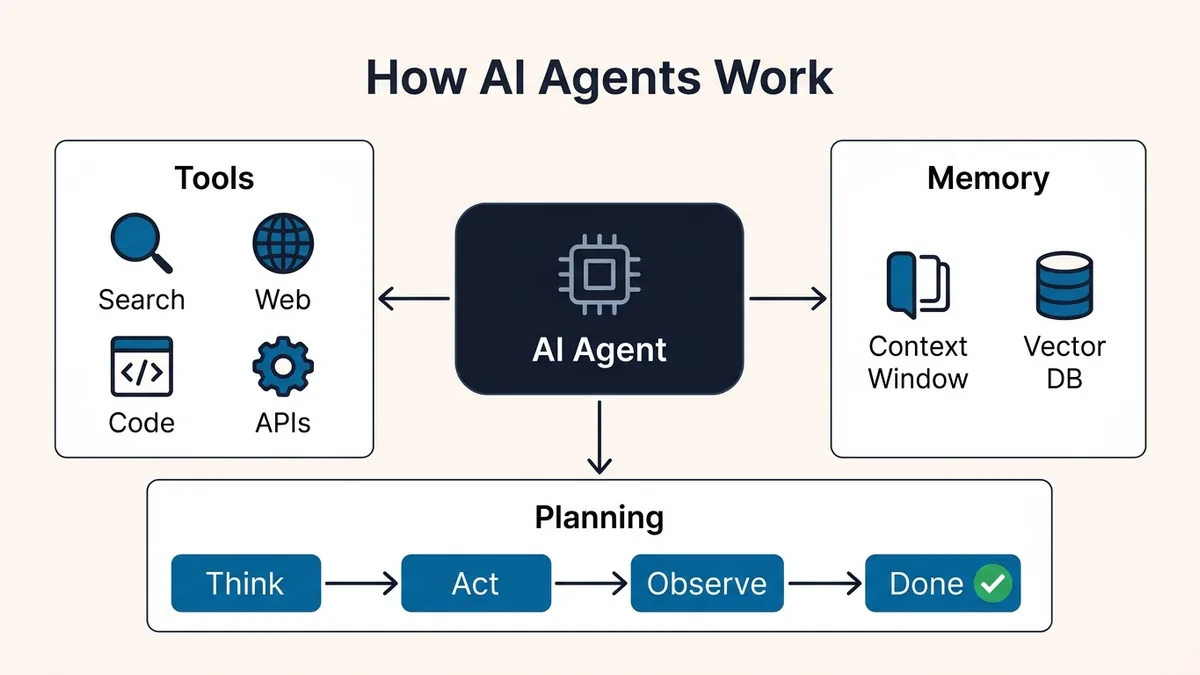
Inline Tab completions send small, fast context snippets, whereas agentic coding (reading multiple files, running tests, and retrying errors) multiplies token usage across turns—as explained in how AI agents work. Because vendors meter these tiers differently (and several do not publish fixed request counts), it helps to group them by quota model:
| Quota Category | Tools Using This Model | How It Behaves in Practice |
|---|---|---|
| Monthly completion allowance | GitHub Copilot Free (2,000/mo) | Predictable inline completion count; affected features become unavailable until reset or plan change once limits are hit |
| Weekly agent allowance | Google Antigravity (Free individual) | Unlimited Tab & command requests through the product, with basic weekly rate limits on agent-model usage |
| Dynamic / plan-dependent free quota | Cursor Free, Devin Desktop Free | Exact request counts and allowances vary by plan and model; heavy multi-file refactors hit limits faster |
| Local hardware-bound inference | Continue + Ollama, Cline + Ollama | No extension-imposed quota; throughput and context depth depend on your laptop's RAM/VRAM and CPU/GPU bandwidth |
1. Google Antigravity (Free Individual Plan)
Google Antigravity is Google's agent-first AI coding environment (distinct from Gemini, which is Google's model family used across multiple products). Its current Free individual plan is one of the strongest cloud-based options available because it combines:
- Unlimited Tab completions.
- Unlimited command requests through the product, while agent-model usage remains subject to basic weekly rate limits.
- Access to agent models with zero upfront subscription.
2. GitHub Copilot Free (and Copilot Student)
GitHub Copilot Free includes 2,000 inline completions per month, a limited AI Credits allowance for chat and supported agent features, and Copilot CLI access. It does not include Copilot cloud agent access, and model selection is automatic. Once you reach the applicable usage limits, the affected features become unavailable until the allowance resets or you change plans.
- For students: Eligible verified students can apply through GitHub Education for the separate Copilot Student plan, which includes unlimited code completions and an AI Credits allowance alongside limited chat and agent usage (subject to verification and current terms).
3. Devin Desktop (Formerly Windsurf) vs. Cursor Free
Both Devin Desktop and Cursor are AI-native editors built for multi-file workflows:
- Devin Desktop (formerly Windsurf): Officially confirmed as the new name for Windsurf, with existing plans, pricing, extensions, and settings carrying over. Devin Desktop offers a
$0Free plan with access to its IDE and coding assistance; its exact autocomplete and agent allowances should be checked against the current plan details. - Cursor Free: New signups see the current Free plan (while older Hobby accounts may retain legacy plan arrangements rather than migrating automatically to identical terms). The Free plan includes limited Agent, Chat, and Tab usage—exact allowances and model availability depend on the current plan, and third-party BYOK keys are not available on the current Free tier.
4. Open-Source & Local: Continue and Cline with Ollama
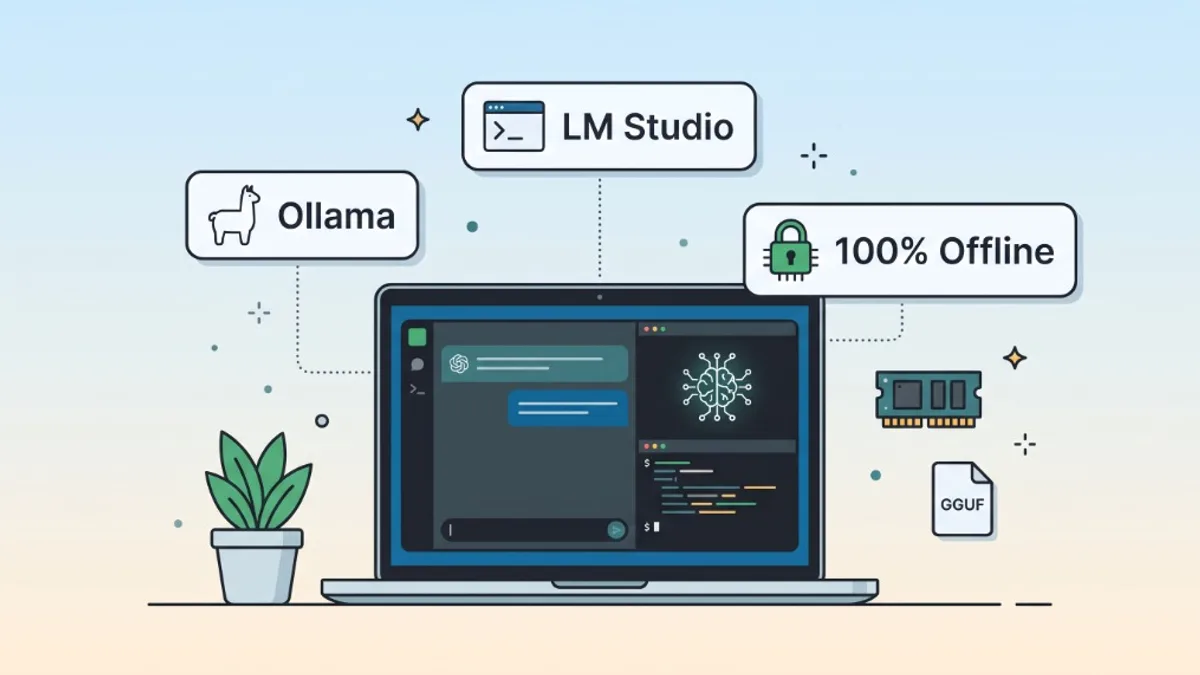
If you want local inference with no cloud-model usage fees or vendor quotas, pair an open-source extension with Ollama or LM Studio (see our local AI laptop setup guide for hardware sizing and installation):
- Continue: Supports both Tab autocomplete and sidebar chat/edits in VS Code and JetBrains with no extension-imposed usage quota.
- Cline: Focuses on autonomous multi-step coding inside VS Code (reading files, proposing diffs, and running terminal commands with your approval).
Verified Continue.dev + Ollama Configuration (FIM Autocomplete)
Chat models and autocomplete models are not interchangeable. As Continue's autocomplete documentation explains, Tab autocomplete requires a model trained for Fill-in-the-Middle (FIM)—its documented Ollama recommendation is qwen2.5-coder:1.5b rather than a general-purpose chat model.
First, pull both models in your terminal (check exact tags and download sizes in the current Ollama library before running):
ollama pull qwen3.5:9b-q4_K_M
ollama pull qwen2.5-coder:1.5b
Then configure ~/.continue/config.yaml:
# Simplified ~/.continue/config.yaml example (requires local Ollama running on port 11434)
name: Local Coding Stack
version: 1.0.0
schema: v1
models:
  - name: Local Coding Chat
    provider: ollama
    model: qwen3.5:9b-q4_K_M
    roles:
      - chat
      - edit
  - name: Local Code Autocomplete
    provider: ollama
    model: qwen2.5-coder:1.5b
    roles:
      - autocomplete
Hardware & API Caveats for Local Coding Agents
Running a local coding agent generally requires more memory than a basic local chat session. Context length, multiple loaded models (such as chat plus autocomplete), codebase indexing, and IDE processes all contribute to memory usage. Treat RAM recommendations as starting points rather than guaranteed minimums; actual requirements depend on the model, quantization, and workload. Continue's Ollama guide recommends at least 8 GB RAM—and 16 GB or more for a more comfortable setup—while larger agent workloads can need substantially more.
(If you instead connect Continue or Cline to a free cloud API key—such as Google AI Studio—expect provider RPM/RPD rate limits or usage charges; multi-step agent loops can hit free API throttling quickly.)
Privacy, Context Exclusion & Security Checklist
Building a complete $0/month workflow beyond your editor? Pair your coding assistant with the hosting, database, and analytics tools in our best free developer tools for solo builders guide.
Frequently Asked Questions
Which free AI coding assistant includes unlimited Tab completions?
Google Antigravity (Free individual plan) includes unlimited Tab completions and unlimited command requests through the product (with basic weekly rate limits on agent-model usage), while Continue + Ollama has no extension-imposed completion limit and is bounded only by your local hardware.
Is GitHub Copilot still free in 2026?
Yes. GitHub Copilot Free includes 2,000 inline completions per month, a limited AI Credits allowance for chat and supported agent features, and Copilot CLI access—with automatic model selection and no Copilot cloud agent access.
Can students get AI coding tools for free?
Yes. Eligible verified students can apply for the separate Copilot Student plan through GitHub Education (unlimited completions, AI Credits, and limited chat/agent usage), or use Google Antigravity, Continue, and Cline at no cost.
Why shouldn't I use a general chat model for Continue autocomplete?
Tab autocomplete requires Fill-in-the-Middle (FIM) training so the model can predict code between the text before and after your cursor. Using a FIM-trained model such as qwen2.5-coder:1.5b avoids slow, off-format completions.
Primary References
- Google Antigravity Pricing — Free individual plan (unlimited Tab, unlimited commands, weekly agent limits)
- GitHub Copilot Subscription Plans — Free plan
2,000completions/month, AI Credits, CLI, and Copilot Student details - Devin Desktop (formerly Windsurf) Pricing — Windsurf rebrand and current Free plan details
- Cursor Pricing — Current Free plan limits and Privacy Mode overview
- Continue.dev Documentation — FIM autocomplete (
qwen2.5-coder:1.5b), Ollama setup, and RAM guidance - Cline Documentation — Autonomous VS Code agent and local/API setup
Was this guide useful?
Quick feedback helps keep our guides accurate and up to date.