
Next.js vs. React + Vite: Which Should You Choose?
Compare Next.js and React + Vite in 2026. Explore SEO, SSR vs. CSR, static hosting, performance, and which architecture fits your next project.
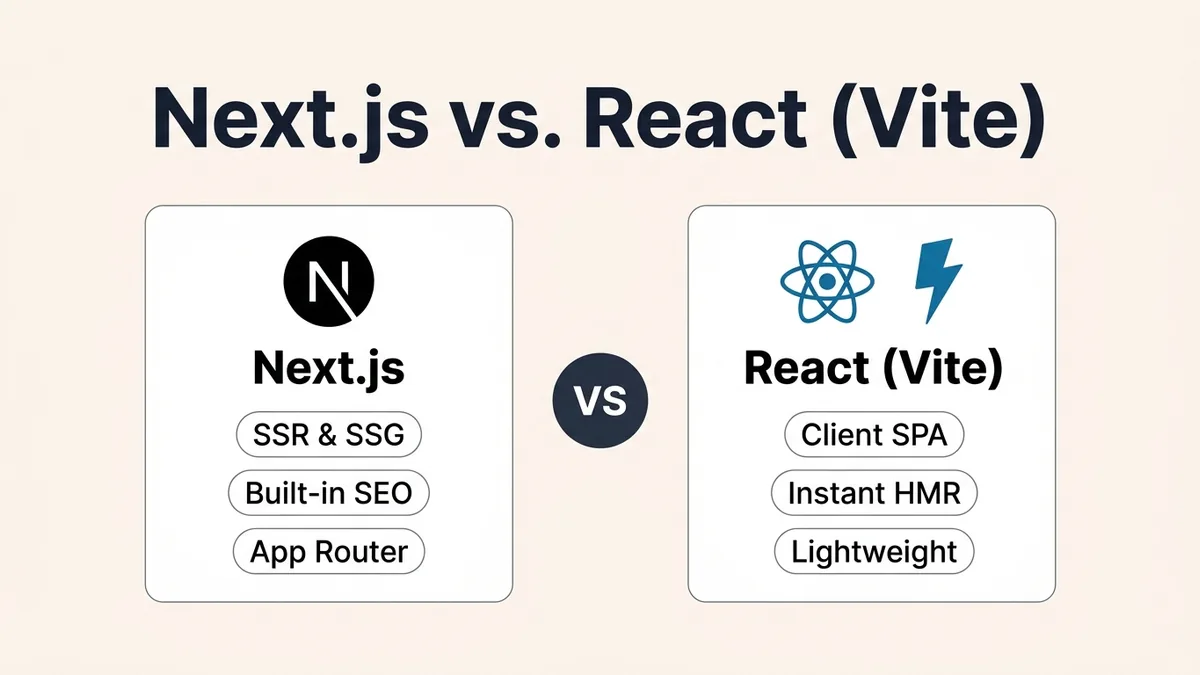
Choose Next.js when you want built-in pre-rendering (SSG/SSR), SEO-ready HTML, social link previews, and integrated server features out of the box. Choose a default client-rendered React + Vite SPA when you want minimal build tooling for authenticated dashboards, internal tools, or client-heavy apps backed by a separate API.
Next.js is a full-stack React framework with built-in routing and pre-rendering; Vite is a fast build tool and dev server commonly used for client-rendered React Single-Page Applications (SPAs).
HTML First
Next.js (SSG / SSR)
Crawlers & browsers receive populated HTML
CSR Default
React + Vite SPA
Browser executes JS bundle to render UI
output: 'export'
Static Next.js Mode
Free-tier static hosting with pre-rendered HTML
Next.js and Vite Aren't Direct Competitors (Why This Comparison Matters)
Before comparing features, it helps to clear up a common misconception: Next.js and Vite do not sit at the same layer of the stack.
- Next.js is a full-stack React framework that handles routing, Server Components, pre-rendering, and its own Turbopack bundler.
- Vite is a build tool and dev server (which also provides low-level SSR and prerendering primitives) most commonly used to build client-rendered React SPAs.
In practice, when teams ask "Next.js vs. Vite", they are comparing Next.js's framework architecture against a client-rendered React SPA built with Vite.
How Rendering Works: Pre-Rendered HTML vs. Client-Side SPA
The core architectural difference between Next.js and a default client-rendered React + Vite SPA is where and when the HTML is created.
- In Next.js, pages can be pre-rendered at build time (SSG) or per request on a server (SSR), so browsers and search crawlers immediately receive complete
<h1>headings,<meta>tags, JSON-LD structured data, and visible text. - In a default client-rendered Vite SPA, the server sends a minimal HTML shell (
<div id="root"></div>) plus a JavaScript bundle link. The browser downloads, parses, and executes React before the UI renders and data fetches begin.
As React's official documentation notes, production apps that need integrated routing, data fetching, and code splitting benefit from a full-stack React framework like Next.js or React Router, whereas a Vite SPA keeps tooling minimal when you intentionally want a decoupled client bundle.
10-Point Comparison Matrix: Next.js vs. React + Vite
| Dimension | Next.js (App Router) | React + Vite (Default SPA) |
|---|---|---|
| Rendering Strategies | Server Components + SSG / SSR (plus optional ISR on server hosts) | Client-Side Rendering (CSR) by default; SSR/prerendering possible via plugins or frameworks |
| Initial HTML & SEO | Strong—full HTML, <title>, Open Graph & JSON-LD arrive immediately | Weak out of the box—crawlers receive an HTML shell until JS executes |
| Initial Content Visibility | Pre-rendering can improve initial content visibility (FCP/LCP), though real speed depends on implementation, hosting & page complexity | Depends on JS bundle size, network conditions & client API round-trips |
| Routing | Built-in file-system App Router (app/) | Bring your own (React Router, TanStack Router) |
| Server Components | Native—run on server or at build time (component code stays off the browser); Client Components still use JS | Not built in |
| Client JS Footprint | Smaller for static/server-heavy pages; includes framework runtime | Client-rendered components ship to the browser, with code splitting and lazy() available |
| Build & Dev Tooling | Fast HMR & builds via Turbopack (default for dev & prod in Next.js 16) | Extremely fast native-ESM dev server & Rollup production builds |
| Backend / API Layer | Built-in Route Handlers & Server Actions (when server-hosted) | Requires a separate backend API or serverless functions |
| Hosting Model | Free-tier static hosting (output: 'export') or Node/Edge server | Static files (dist/) on free-tier static hosts, object storage, or CDNs (subject to provider limits) |
| Best Use Case | Public content sites, SEO products, full-stack React apps | Auth-gated dashboards, internal tools, rich browser apps |
Static Export (output: 'export') vs. Server Next.js vs. Vite
Many developers assume Next.js always requires a paid Node.js server, while only Vite can deploy as static files. In reality, Next.js supports pure static HTML export via output: 'export' in next.config.ts—combining free-tier static hosting (subject to provider limits and custom-domain rules) with full SEO pre-rendering.
// next.config.ts — Static Export configuration in Next.js 16
import type { NextConfig } from "next";

const nextConfig: NextConfig = {
  output: "export",
  // Required if using <Image /> without a custom external image loader:
  images: { unoptimized: true },
};

export default nextConfig;
What Static Export Disables (Know Before Choosing)
Because output: 'export' produces pure static files in out/ with no live Node.js server at request time, Next.js static export documentation notes that it supports build-time Server Components, but does not support dynamic request-dependent server functionality or ISR:
- Dynamic
cookies()andheaders()cannot be read per request. - Mutations via Server Actions and live on-demand ISR (
revalidateTag) require a running server. - Dynamic
[slug]routes must declaregenerateStaticParams()so Next.js knows every path to pre-render at build time. - Default
next/imageoptimization requires eitherimages: { unoptimized: true }or a custom loader / pre-optimized.webpassets.
If your app needs per-user cookies, server sessions, or streaming AI endpoints, either deploy Next.js to a Node/Edge runtime or pair a Vite SPA with a dedicated backend API.
Code Comparison: Data Fetching & Routing
In Next.js (App Router), a Server Component can read files or fetch public build-time data directly without shipping fetching logic to the browser:
// Simplified Next.js 16 App Router Server Component (app/guides/[slug]/page.tsx)
export default async function GuidePage({
  params,
}: {
  params: Promise<{ slug: string }>;
}) {
  const { slug } = await params; // Route params are async in Next.js 16
  const guide = await getGuideBySlug(slug); // Runs on server or at build time

  return (
    <article>
      <h1>{guide.title}</h1>
      <p>{guide.summary}</p>
    </article>
  );
}
In React + Vite, routing and data fetching run inside the browser (typically using React Router + TanStack Query or fetch inside an effect):
// Simplified React + Vite Client Component (src/pages/GuidePage.tsx)
import { useEffect, useState } from "react";
import { useParams } from "react-router-dom";

export function GuidePage() {
  const { slug } = useParams();
  const [guide, setGuide] = useState<{ title: string; summary: string } | null>(null);

  useEffect(() => {
    fetch(`/api/guides/${slug}`).then((res) => res.json()).then(setGuide);
  }, [slug]);

  if (!guide) return <p>Loading...</p>;
  return <article><h1>{guide.title}</h1><p>{guide.summary}</p></article>;
}
(Note: Production Vite apps usually pair data fetching with a client cache like TanStack Query, error boundaries, and cancellation handling rather than bare useEffect calls.)
Can Vite Do Server-Side Rendering (SSR)?
Yes, though usually not by hand. While Vite exposes low-level SSR APIs (ssrLoadModule and transformIndexHtml), Vite's official SSR guide explicitly notes those APIs are intended primarily for library and framework authors. For application development, consider a framework built on Vite—such as React Router in framework mode or Vike—rather than implementing SSR manually.
Common Mistakes & Architectural Checklist
Frequently Asked Questions
Is Next.js always faster than React with Vite?
No. Pre-rendering in Next.js can improve initial content visibility for public content pages because HTML arrives immediately, though actual performance depends on implementation, hosting, and page complexity. Once loaded inside a logged-in app, both run React in the browser, and Vite's native-ESM dev server often feels snappier on large client-only codebases.
Can I host Next.js on free-tier static hosting without Vercel?
Yes. When configured with output: 'export', Next.js compiles to static HTML/CSS/JS in out/, which you can deploy to free-tier static hosts such as Cloudflare Pages, Netlify, or GitHub Pages (subject to provider limits and custom-domain rules), just like a Vite dist/ build.
Does Google index React + Vite SPAs?
Googlebot can render JavaScript, but client-rendered SPAs wait in a rendering queue, delay indexing, and often fail to populate Open Graph metadata for social and messaging preview crawlers that do not reliably execute JavaScript. Pre-rendered HTML (SSG/SSR) remains the safer choice for SEO-driven sites.
Should beginners learn React + Vite before Next.js?
Yes. Learning React fundamentals (components, state, effects, props) in a minimal Vite setup first makes Next.js's Server vs. Client Component boundary much easier to understand later.
Primary References
- Next.js Documentation — App Router, Server Components, and Turbopack
- Next.js Static Exports Guide —
output: 'export',generateStaticParams, and supported features - Vite Official Guide & SSR Docs — Vite SPA bundling and low-level SSR architecture
- React Router Documentation — Full-stack React framework mode built on Vite
- React Official Docs: Creating a React App — Framework vs. build-tool recommendations
Was this guide useful?
Quick feedback helps keep our guides accurate and up to date.